

OpenArt AI is an online creative platform that helps people turn ideas into visuals using artificial intelligence. Instead of learning complex design software, users simply describe what they want in words, and the AI generates images, short videos, or illustrated scenes based on that description.
It is widely used by content creators, marketers, designers, writers, and small businesses who need eye-catching visuals quickly and at a low cost.
What Can You Do With OpenArt AI?
Create AI Images From Text
One of OpenArt AI’s main features is text-to-image generation. You type a prompt such as a scene, object, or concept, and the AI creates artwork in different styles. These styles include realistic photography, anime, fantasy art, digital illustrations, and more.
You can also upload an image and ask the AI to edit or improve it, which is helpful for redesigning visuals or experimenting with new looks.
Generate Short AI Videos
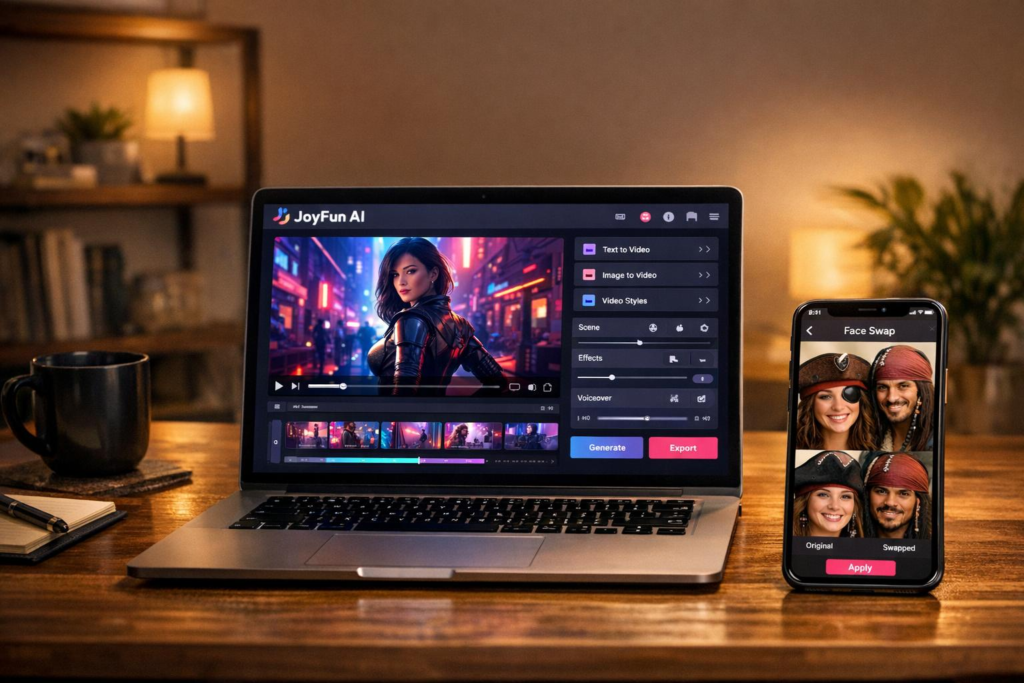
OpenArt AI allows users to create short video clips using text prompts. These videos are mainly designed for social media, ads, or storytelling, rather than long or cinematic productions.
Edit and Improve Images
The platform includes built-in tools that let you:
- Edit specific parts of an image
- Expand an image beyond its original edges
- Remove or change backgrounds
- Improve image resolution
- Fine-tune results by adjusting prompts
These tools give users more control instead of relying only on one-click generation.
Build Illustrated Stories
OpenArt AI is useful for visual storytelling. You can create multi-scene stories where characters remain consistent from one image to the next. This feature works well for comics, children’s books, storyboards, and creative writing projects.
Advanced Creative Control
For users who want more precision, OpenArt AI offers advanced options like:
- Custom AI model training
- Control tools for poses, layouts, and structure
- Detailed prompt adjustments
These features are better suited for experienced users but offer greater flexibility and control.
How OpenArt AI Works
Using OpenArt AI is simple:
- You write a short or detailed description of what you want.
- The AI processes your prompt.
- The platform generates an image or video.
- You can edit, refine, or regenerate until you get the result you like.
The clearer your prompt, the better the final output.
Pricing and Plans
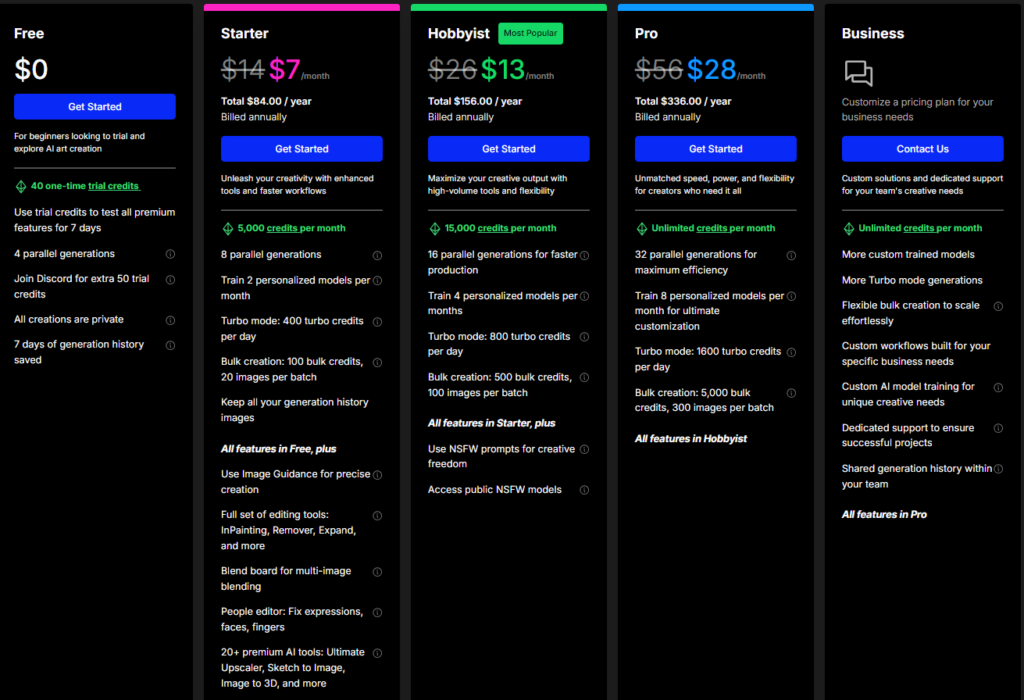
OpenArt AI follows a credit-based system. Each image or video generation uses a certain number of credits, depending on quality and complexity.
There is a free plan with limited usage, which is useful for testing the platform. Paid plans offer more credits, faster generation, and access to advanced tools. Higher-tier plans are designed for professionals, teams, and agencies.
Prices vary depending on the plan, so it is best to review the current options before subscribing.
What People Like About OpenArt AI
Many users appreciate:
- The easy-to-use interface
- The ability to create visuals without design skills
- Multiple styles and creative options in one place
- A free plan to try before paying
- Tools for both beginners and advanced users
Common Issues Users Mention
Some users have reported:
- Confusion around subscriptions and billing
- Difficulty cancelling paid plans
- Slow customer support responses
- Inconsistent image quality depending on prompts
Because of this, many users recommend testing the free version first.
- Watch Summer House Now: Cast & Season 10 Guide

- PayPal Stock Analysis: Is PYPL a Smart Investment Now?
- Realme 16 Pro Plus Price in India: What You Need to Know
- I Will Find You Summary and Review: A Powerful Crime Story
- The Truth About Alley Cats in Modern Cities
- Most Popular Street Hairstyles of 2026

Who Should Use OpenArt AI?
OpenArt AI is a good fit for:
- Social media creators
- Bloggers and marketers
- Small businesses
- Writers and storytellers
- Anyone looking for quick visual ideas
It may not be ideal for users who need long videos, advanced animation, or highly technical visual effects.
Final Thoughts
OpenArt AI is a flexible and creative tool that makes visual content easier to create. It works well for generating images, short videos, and illustrated stories, especially for people without a design background. While it has a few drawbacks, it offers enough features to be useful for both casual creators and professionals.
Trying the free version is a good way to decide if it fits your needs.
#OpenArtAI #AIArt #AIImageGenerator #AICreative #GenerativeAI #AIArtTool #AIImages #AIVideo #DigitalArt #ContentCreators #AIDesign #CreativeAI #AIForCreators #Anslation #Carrerbook
📌 LATEST POST: